Skip to content

Author: Janet Gershen-Siegel

I'm not much bigger than a breadbox.

How to Create a Writer Website: Writer Website Speed and More UX Design

As writers, we might not be thinking too much about website speed. But the truth of the matter is, we are all going to have to. But why?

Website Speed and You

Let’s get into the weeds just a little bit, all right?

Suppose you are looking at two separate websites. One is blazing fast, or at least it’s fast enough that you do not notice the pages loading or anything like that.  But the other one? Not so much.

All other things being equal, you are highly likely to hang around the faster site. In fact, you may even believe it’s better than the other one. Why? Because your experience is markedly better there.

Now let’s assume that the slow site is better. Maybe the content is better written, or the writers have more authority. Or the site just might be prettier.

If you could ever see it, that is.

The Wonderful World of the First Contentful Paint

Er, come again? The term ‘first contentful paint‘ merely refers to the first moment when a visitor can see anything on a screen on your site. It’s measured in, I kid you not, tiny fractions of seconds.

Yep, sports fans, the human race’s collective attention span is just plain that short these days.

Think of how quickly you scroll through notifications or click from one record to another. Do you play any video games on your phone or otherwise online? Then you’re probably moving quickly there as well.

But what, pray tell, does this have to do with the design of your writer website. After all, the people who are visiting are just interested in your stellar prose, right?

Uh, if you believe that, then I have an awesome deal on a bridge to sell you.

The Visual World

We are living in an intensely visual world these days. Add that to how fast everything moves, and you’ve got a recipe for flashing everything. Or so it may seem.

Website speed generally comes down to images. How fast do they load? And woe be unto you if yours load slowly.

What are the Worst Website Speed Issues Out There?

It all has to do with images. But more specifically, it has to do with how your site performs on mobile. While you may experience the internet on a desktop or laptop, most people aren’t. At least, not outside of work.

Rather, they are experiencing your site (and everyone else’s site, from here to Pinterest or wherever and beyond) on tablets or phones.

In fact, there are a lot of people who don’t own a PC at all. They might just have a phone. Think that’s rare? Think again — it’s practically a way of life in a lot of Asia.

So, your site has got to perform well on mobile devices. And, since they are often less flexible than bigger devices, everything starts to slow down when you view it on a phone.

But the good news is that you can fix this stuff!

Fix Your Website Speed Issues

There are probably more ways to fix speed issues, but these three will help you quickly.

Your Theme is Sluggish

Some WordPress themes are great! They’re nimble, they look good on mobile, and they don’t sludge up your site with unnecessary code.

Others, not so much.

One of the reasons why a site is slow is because of far too much extra HTML and other code (e.g. JavaScript). If your site is slow, then do yourself a favor and seriously consider a lighter theme.

Just Google (or check within WordPress itself) for a theme that’s light or fast. I’ve seen both terms used.

Often, your site doesn’t even have to change too radically. After all, you already have your content (or maybe you haven’t started with content, but it’s on your radar).

Knowing that, say, you want a wide background image and a centered logo means you know what to look for when you’re browsing for a new theme.

This theme, by the way, is often free. You shouldn’t have to pay simply for someone to not lard up a theme with excessive code.

Your Images are too Large

This is so fixable it’s not funny! There are two ways to approach this. Use both of them.

As Pogo (satirizing Commandant Oliver Perry) said, “We have met the enemy, and it is us.”

If your images are too large, then shrink them either or both of these ways.

Crop What You’re Going to Crop, and Resize What You’re Going to Resize, Before Uploading an Image

WordPress will crop images for you. But the problem with that is, you end up with two versions—both cropped and uncropped. If you only want the one version, then do your cropping before you upload!

Same goes for resizing. If you have, say, a 1000 x 750 image and you really only want it to be 500 x 375, then, again, do your resizing offsite.

Compress Your Images Before Uploading Them

Now, there are plugins which will crunch your images. But CompressJPG does a fine job and it takes up no space on your site. Also, CompressJPG is utterly free, whereas compression plugins have limits.

Compressing does not hurt clarity and it doesn’t resize anything; it just makes the images fewer MB or KB than they were.

If you crop, resize, and compress your images, it will make a difference.

You Have Pages With Low Text to HTML Ratios

Er, what?

Text to HTML ratio means that you have a certain number of characters devoted to content, and a certain other number of characters devoted to all the HTML used to render those characters and also prettify your site.

SiteGuru has an excellent free (and it seems to be unlimited!) tester. Just pop in the URL you want to check, and click the button that says Test. A ratio of 20% content versus 80% HTML is good. Anything below that for content is not so good.

How do you fix this? Either remove HTML (which is what you do when you use a lighter theme) or write more verbal content or both. In particular, if you have an image anywhere but the featured image, it’s going to use HTML to render. Taking out that image will help your ratio.

Now, I don’t want you to have a boring, flat site. But at the same time, if the image is superfluous, then nix it. And, of course, do the above—crop, compress, and resize—if you really want to keep it.

Oh, Yeah, There’s a Fourth Way to Easily Improve Website Speed: Don’t Get All Plug-In Happy

Plugins add HTML. Some of them even add HTML to every single page, even if you can’t really see them or what they are supposed to be doing. Think about what you need, and determine if you can get away with less.

And, just like with WordPress themes, look for plugins that are lighter and/or faster.

There’s more than one plugin for creating a newsletter, for example. If they are all more or less fulfilling your needs, then pick the one which gets the job done with the least amount of HTML.

Oh, and talk to your hosting provider about whatever is being served on every page. Sometimes, there’s code left over from old plugins. The hosting provider can help you ditch that extra, unnecessary code (which is bogging down your site!) without breaking anything.

Website Speed and Some Fast Takeaways

Check site website speed regularly, and check HTML ratios as well. Both will help you to not only speed up your site but write better and go into more depth.

Congratulations! You’re now creating, designing, adding to, and using your site in a way that is designed to best serve the most important person of all—you your ideal customer.Click to buy Untrustworthy on Amazon


Want More of Writer Website Development?

If my posts on author website development resonate with you, then be sure to check out my other articles about how to create a writer website.

Writer Website Development

How to Create a Writer Website: Start a Writer Website
How to Create a Writer Website: What to Write About
Writer SEO
How to Create a Writer Website: Writer Website Copyright
How to Create a Writer Website: Writer Website Design
Mobile Design
How to Create a Writer Website: Writer Website User Experience Design
How to Create a Writer Website: Writer Website Speed and More UX Design
Next article

Fix your site speed and get going the smart way! #amwriting

Leave a Comment

How to Create a Writer Website: Writer Website User Experience Design

Whether you’re just starting or are updating an older author website, writer website user experience design is something you must consider.

Fer realz, yo’.

How Writer Website User Experience Design Can Help or Hurt You

Do yourself an enormous favor, and Google the placement office at your alma mater. If you didn’t go to college, then any local college or university will do. The name might be something like career development.

I am a ridiculous overachiever and have the oddest resume you are ever going to see. So, I have three alma maters, heh. Let’s look at them in turn (but what does this have to do with writer website design, I hear you cry. Trust me, you’ll see).

Boston University

The BU Center for Career Development has of course changed a lot since I graduated. Which was before a lot of people were born, 1983. Heh.

Colors are bold and it’s pretty easy to find stuff. BU also knows their audience. It’s a large university, over 100 years old, and has a variety of schools.

Just appealing to undergraduates would alienate alumni returning to look for work. Still, there’s no doubt that undergraduates are the main focus. If I wanted to look for work via BU, I would probably go straight to their alumni association—yet there’s no link or suggestion thereof.

I’m just left to founder.

Well, that kinda stinks.

I’d give BU a 3/5. What is there is very easy to read and navigable. But they are utterly neglecting a good chunk of their audience, and not even giving us an escape hatch.

Widener Law School (Delaware Campus)

The Widener Career Development Office has a rather different focus, as there are no undergraduates. There are certainly undergrads at Widener, but they aren’t at the law school.

And, the jobs the Widener office is going to send people to will inevitably either be private practice, JAG Corps (the military), or something academic.

There may be a few government agency jobs sprinkled in there. Also, because it’s a regional type of school, jobs will most likely be in Pennsylvania, Delaware, and New Jersey.

There may be a few in Maryland or New York. And if there are any federal jobs, then they’ll be in DC. But if you want to work in Indiana, you’re out of luck.

Notice anything else?

The font is larger than it was for BU, and it’s a serif font, whereas BU was sans serif.

Widener knows their audience is older, certainly at least about 20 years old (more likely to be closer to 25 at the youngest), whereas BU may have some audience members as young as 16.

Also, Widener probably figures most people will read their site on a laptop or desktop. At BU? Tablets or phones.

I’d give Widener a 2/5. While it does account for user age and perhaps sensibilities, I didn’t see any way to get to any jobs! You have to click on students before you get to any place with jobs. If you click on alumni, the message is about mentoring and recruiting.

Hence the assumption is, you’ve already graduated so, you don’t need to look for work. Would that it were so easy, Widener.

Quinnipiac University

The QU Career Development Office is a lot more image-heavy. It’s another sans-serif site, and the font is smaller, like for BU. There isn’t a lot of information on the front page, but that’s by design.

Rather, you scroll down and you’re given a choice of six schools and their College of Arts and Sciences. You can go straight to the appropriate placement office from there. But once there, there’s not a lot beyond telling you to contact the director.

While there are listings to tell you where people have landed, you have no names or contact info. So, knowing someone ended up at Apple, for example, is lovely. But, what does that have to do with the price of tea in China?

As an alum, I had to back out of the CDO and go to the home page for QU, click on alumni and then on career development, and then, finally, job postings.

And then I had to choose QUCC or an external link that ended up not working. Not a good look, QU.

I would give QU a 3.5/5. Triaging people by school was smart, but there was no accommodation for us older folks who might have less than stellar eyesight.

Writer Website User Experience Design is About Accommodations

For all three schools, the web developers did a decent job with functionality. Nothing was slow. Yet there were places where all three could improve.

Hiding what the readership was looking for was a problem for all three schools. Seriously—when I go to a placement office, I want to see jobs. At the barest absolute minimum, there should have been a way to sign up for notifications or to get into the system.

And that information should have been front and center. It was a use case that all three schools missed entirely, the concept of an alum out of work or a student over the summer, who just wanted to look for a job. No talk of careers or callings or majors.

Just. A. Job.

What really irks me is that these schools all have good budgets. So, why didn’t they do any better?

The Writer Website User Experience Design on YOUR Author Website

Most of us indie writer types do not have access to any sort of a meaningful budget. And, if we do, it’s likely better spent on cover designs, editor services, and paying for hosting, or for swag and accommodations for events.

So, you’re probably not going to be doing any sort of user experience testing. But that does not mean you cannot perform some thought experiments. Come with me, if you will.

Buyer Personae

Who is your ideal reader? Who buys your stuff? And, if you’re not selling yet, who do you think would buy it? This is  beyond your family, close friends, and fellow authors doing trades.

Name this person, and give them a face. Give them demographics. Here’s mine.

Meet Amy Shapiro

Amy Shapiro is a science fiction fan who’s older than the standard college crowd but still somewhat identifies with them (she’s between 35 and 70). She is college-educated and probably has three or fewer children, if any. She’s either married or in a long-term relationship. Her sexuality is more likely to be straight but she might be bi.

Amy is Jewish although not strict and does not keep kosher. But she does see that depictions of people just like her tend to be one-dimensional.

Where are the Jews in space?Alicia Silverstone (to depict buyer persona Amy Shapiro), to illustrate writer website user experience design

Amy loves sci fi but she still finds it hard to see herself on the page or the screen. After a certain age, women fall off a cliff in Hollywood, Sigourney Weaver and Carrie Fisher notwithstanding.

She also wants something unique and different, and is willing to read a number of different kinds of plots.

Amy is comfortable with some sex scenes, even explicit, if they aren’t gratuitous. The same is true of violence, but gore makes her squeamish.

This image (from Wikipedia, so it’s a creative commons license and therefore okay to use) is of actress Alicia Silverstone, a nice Jewish gal who was born in 1976 and fits the model perfectly.

Use Cases Help Your Writer Website User Experience Design Straighten Up and Fly Right

I alluded to this already, but now let’s get more specific. A use case is essentially how you think a person will use a particular product or service.

Of course, people who buy books intend to eventually read them. So, I’m not talking about use cases for books. Rather, I mean use cases for your writer website.

Writer Website User Experience Design — Appropriate Use Cases

Why do people go to author websites?

What do they want to accomplish? What can they get there and nowhere else, online or off?

I believe the following use cases exist for my site. Most of them probably do for yours (or will) as well:

1. Customers who want to buy my books
2. Fellow indie writers (just like you!) who want to discuss and learn about the craft
3. Fans looking to personally connect to me
4. People who want to learn about using social media and some web design (mostly intersects with #2, but not 100%)

Buyers

This is a group who, I will be first to admit, I am not serving well. But they’re the easiest to serve. They need links to buy, a shopping cart, ways to pay, and a means to check out and go home (figuratively) happy.

Craft Discussers

These are people I serve with posts like this, but also posts about inspiration, plotting, editing, and beta reading.

Fans (hi!)

For fans, the more personal ways I serve them are with self-reviews and progress reports. They want to know what I’m working on, and I like to think they want to know how I feel about that as well.

Social Media/Web Design Students

Posts just like these serve this group. So do a lot of the book reviews I’ve done over the years. I’ve read a ton of books on social media, etc. These folks want to know if those reads are worthwhile.

Takeaways for Writer Website User Experience Design

I know Amy is a buyer/fan, or at least I would like her to become one if not both. To better serve her, I need to set up sales, a thing I have not done yet.

Here are takeaways for you:

1. Consider your ideal reader/customer and how you can appeal to them
2. Why do you believe they are coming to your author website? Offer them what they want and need

3. Take the time to determine who your ideal buyer persona really, really is (yes, I’m repeating myself, but it’s that important)

Who’s your Amy?Click to buy Untrustworthy on Amazon


Want More of Writer Website Development?

If my posts on author website development and writer website UX design resonate with you, then be sure to check out my other articles about how to create a writer website.

Writer Website Development

How to Create a Writer Website: Start a Writer Website
How to Create a Writer Website: What to Write About
Writer SEO
How to Create a Writer Website: Writer Website Copyright
How to Create a Writer Website: Writer Website Design
Mobile Design
How to Create a Writer Website: Writer Website User Experience Design
How to Create a Writer Website: Writer Website Speed and More UX Design
Next article

U/X design will make a difference with your writer website! #amwriting

Leave a Comment

How to Create a Writer Website: Mobile Design

No matter how much you may be used to using a laptop or a desktop computer to go to websites, that does not mean your website visitors will do the same. You have got to take mobile design into consideration.

Good Mobile Design is Imperative Because Phones are Everywhere

It is not just that they’re everywhere. It’s that so many people use their phones to surf the internet.

Statista says, in 2020, the number of mobile phone search users in the United States was 211 million. And, in 2020, according to the US Census, there were 311 million people in America. Note: the census data is for April 1, 2020, which is around when Covid started to really hit.

But you say there are 100 million people not using cell phones for search. Yep.

But there are very young children and very old folks in that group of 100 million. There are people who are comatose, and people who don’t understand how to use a cell phone.

Plus there are folks who don’t have cell phones at all, and people who would use a phone for search but don’t want to use data on a limited plan.

So, they’re not all die-hards who are digging their heels in and refusing to use their phones for search.

Oh, and consider that there are parts of the world where phones are a lot more popular than computers. Lots of Asia is like that. If your readers are there, then you really need to be working on mobile design for your author website.

But it’s More Than Just Search

What happens after you find something online? On occasion, you might take note of it or bookmark a page. But the vast majority of the time, you go to that site.

What if your site looks awful? And not just in a design way. Rather, in an unusable way.

To be fair, this article from Search Engine Journal is from 2013. I would hope most of the offenders would have pulled their socks up by now.

But the image below isn’t just of a lousy mobile design experience. It is also, it would appear, a site which hasn’t been updated since (a conservative estimate here) 1987.

Search Engine Journal example of bad mobile design
Search Engine Journal example of bad mobile design – please, make the pain stop!

That’s … pretty dang terrible.

It All Goes Together in a Great, Big Design Stew

So, the metaphor (or is it a simile?) sounded better in my head, okay?

Yet the principle is still there. That is, that a writer website has got to have good overall design and navigation.

But it also needs to provide a good user experience.

And it also must serve mobile search well.

Thank God for WordPress

No, seriously, they don’t pay me. I just think they’re pretty dang awesome.

You can accomplish the overall design (of any sort) of a WordPress site through the use of themes.

A theme can make your site pop, or it can make it look odd if you pick a theme that doesn’t handle your kind of site well.

Fortunately, WordPress does their best to separate the wheat from the chaff. And, themes are searchable.

So, search for a theme that’s mobile-friendly.

You can run the search either within WordPress or on Google or Bing.

These are the terms you should use for your search:

mobile friendly WordPress themes free

You may or may not want to add the word responsive to that search. And adding the word light can be helpful as well. By that, I don’t mean light in color. I mean light on HTML usage.

The problem isn’t finding one of these themes. It’s in selecting the one that you believe will serve your needs the best. WordPress absolutely spoils you for choice.

Clickable Elements and Google Search Console and Mobile Design

Er, what?

I have seen this problem before, and on more than one website. Google Search Console is owned by Google and it is how (with notifications that can hit your email) it tells you if there are problems with your website—including in its mobile design.

One issue I have seen before is “clickable elements too close together”. Putting a bunch of anchored links close together on a post can potentially do that.

Take note of these errors if you see them, and work to fix them. Sometimes that means moving an image or a link.

But if it persists, you may want to shift to another mobile-friendly theme. And do the designer a favor and tell them! They may have a workaround you can use.

Takeaways for Writer Website Mobile Design

Here are three takeaways on author website mobile design:

1. More people than ever before are using their phones to surf the internet, search, and buy things—things like your books

2. WordPress has a ton of mobile friendly themes. If you don’t like one, you can always try another of over a hundred (thousand?) others
3. Google thinks Mobile First and will ding you if your site isn’t good for cell phone use—so fix any usability issues as soon after you learn of them as possible
Click to buy Untrustworthy on Amazon


Want More of Writer Website Development?

If my posts on author website development and mobile design resonate with you, then be sure to check out my other articles about how to create a writer website.

Writer Website Development

How to Create a Writer Website: Start a Writer Website
How to Create a Writer Website: What to Write About
Writer SEO
How to Create a Writer Website: Writer Website Copyright
How to Create a Writer Website: Writer Website Design
Mobile Design
How to Create a Writer Website: Writer Website User Experience Design
How to Create a Writer Website: Writer Website Speed and More UX Design
Next article

Make sure to take mobile design into account when putting together your author website! #amwriting

Leave a Comment

How to Create a Writer Website: Writer Website Design

If you’re going to have an author website, you should probably be looking at writer website design. Don’t leave it all to chance (like, er, some of us did, cough, cough).

Writer Website Design Can Help or Hurt You

Without getting into user experience (which will be the subject of a different blog post), there are definitely things you can do with writer website design that can help you.

Or hurt you.

And I will also write about designing for mobile in yet another blog post, so I will try not to get into that here too much, either.

So, rather, let’s talk about (er, it’s only me ‘talking’, but you know what I mean) organization.

Location, Location, Location

Have you ever gone to a website (and it does not have to be for an author) and looked for something, and it just plain wasn’t there? And it wasn’t that it was absent—which of course can happen to anyone in any site. Instead, it was just in some odd place.

It’s a little like finding salsa in the Italian foods section of your local supermarket.

Hey, I’m glad I found you, oh little jar of delicious salsa. But why aren’t you with your friends, the taco shells?

See what I mean?

Like Should be Together With Like

This is almost Marie Kondo level stuff.

Consider your book(s) and your blog posts, whether they are written (or even posted), or not. When you have had a blog for a while, you may need to add some menu navigation to the front page.

Let’s say, for sake of argument, that you write both horror and stuff for kids.

Er, don’t confuse the two.

You might call one menu The Spooky Nook, whereas you might call the other one Happy Books for Happy Tots. And never mind that it would likely be better if these were in two separate websites.

With WordPress, you would do this with categories, and with placing the menus where you feel they work the best.

Obviously, you make sure your horror goes to the former menu while your kids’ stuff goes to the latter.

But what about things that are in the middle? Or maybe they don’t really fit either?

First off, not everything must be in a drop-down menu format. So long as a blog post is accessible somehow, through a link on some other page, you’re good. The easiest way to make certain of that is to use tags.

Tags are for Aggregation. They Also Work as a Kind of Sneak Preview

Every time you make a tag, WordPress (and I believe Blogger may do this as well) creates a page. And, perhaps somewhere, a developer gets their wings.

But the idea behind tags isn’t to make a million of them for every occasion. Unlike with some other things, such as blog content (with exceptions), reusing is just fine. In fact, it’s downright necessary.

If your tags are visible in your theme, they will be clickable links. A site visitor will click on one, say, called children‘s books. If you are using the identical tag for all twenty (we can dream, now, can’t we?) of your children’s books, they will see everything you have on offer.

And, they might see something in your back catalog that they didn’t know about before. And may want to buy it.

But if the tag only points to one book, and another tag, called kids’ books, points to one different book, and another tag, preschoolers’ books, only points to a third book, do you see the problem here?

Your visitor has to go through three separate screens. For twenty books done up this way, you guessed it, they’re now saddled with having to go through twenty screens. Which is silly.

Is using synonyms good? It probably is, because you’re accounting for more than one type of search. The preschoolers’ books tag, in particular, is really good, because that’s a well-defined subset of children. Someone looking for a book for a teenager will know not to click there.

But how do you fit in synonyms without making visitors jump through too many hoops?

Tags are Your Friend but They are not Your Bestie

The simple solution is: use more than one tag. But at the same time, don’t go overboard. There is no need to dig through a thesaurus, hunting for obscure synonyms so you can make yet more tags.

But do some research, and that means pulling up Google and trying it out for yourself.

When you search for children’s books, how many hits do you get? Beyond the ads, what are the first three results? Now do the same for kids’ books. The day I wrote this blog post, I found children’s books (no quotes or anything) got me 884 million results.

But kids’ books got me 10.9 billion hits.

While the top three results were in slightly different orders, they overlapped. These sites are using both. You should, too.

But a search for the much more obscure striplings’ books got me books by author Scott Stripling. Not even close.

For a book on the kids’ side devoted to dinosaurs and easy to read, you might tag it something like:

kids’ books, children’s books, dinosaurs, easy reader

You might tag a book for children about divorce something like:

kids’ books, children’s books, divorce, separation

Depending on the second book’s focus, you might also tag it legal or mental health, etc.

But You Just Said Tags Aren’t Your Bestie

I sure did. What I mean by this is: getting too granular isn’t helpful because it won’t aggregate. Hence the book on dinosaurs just gets a dinosaurs tag and not a stegosaurus tag—unless you have enough books on the stegosaurus where it would justify it.

Being too tag-happy doesn’t look good. It just looks amateurish and spammy.

Use a half-dozen rule of thumb.

Therefore,

• No more than 6 tags per post and
† If you have 6 usages or planned usages for a tag, great! Otherwise, don’t make a new tag—but see below

Exceptions are of the Devil and We’d Better Deal With Them Now

A meaningful exception to the 6 usage rule is when a topic is so exceptionally unique that you can’t use another, similar tag as a replacement.

Case in point: the 50 states. Try as you may, putting the tag for Oklahoma on a blog post about Idaho is just weird and unnecessarily confusing. Or, you can avoid the issue entirely and just create a tag called America or USA or US states, something like that.

I would also say that a very long book (as in, over 100k words, edited) can get a few extra tags if it’s justified.

Here’s an example: my book, The Real Hope of the Universe. It’s the last book in the Real Hub of the Universe trilogy. Plus people love the main character, Ceilidh O’Malley.

Tags can probably look like (I haven’t checked mine, but they’re likely to be close to this):

Real Hub of the Universe, Victorian era, science fiction, Victorian sci fi, Ceilidh O’Malley, Jake Radford, Devon Grace

I may not need the two extra names at the end (they are also significant characters, but it’s Ceilidh’s POV all the way).

Easy, useful, and no overkill.

Odds and Ends for Writer Website Design

WordPress does this beautifully but, if you’re not using it, you should consider this.

Make sure all navigation is where the visitor would expect it to be. For example, settings and accounts tend to be in an upper corner. Putting them in the middle of a page is just asking for them to be ignored/unseen. Yes, even though they are quite literally front and center.

Keep buttons, etc. consistent and use naming conventions. For our children’s author example, boys’ books and girls’ books and nonbinary books go together. But books for boys (assuming the other two stay the same) is inconsistent.

If a website visitor finds your site via your nonbinary books page (or tag or category), they will reasonably guess that reading material for boys will be called something like boys’ books.

They’re a lot less likely to guess books for boys. You should, though, be using both terms on the page. But you only need the one tag like that.

Consistency and naming conventions will make your life easier, too. You only have to dream up the general concept one time.

Takeaways for Writer Website Design

Of course, there are many, many more things I could say about this. But here are three quick takeaways on the topic of writer website design:

• Do some research to find out which words people are using when searching for books and a site just like yours. Use those words as keyword phrases (covered in my SEO blog posts), blog titles, and category and tag names

† Keep in mind a rule of 6 for the number of tags per post and the number of times a concept repeats on your site before you create a tag for it—but be mindful of some exceptions
• Consistency and naming conventions will save you and your readers time
Click to buy Untrustworthy on Amazon


Want More of Writer Website Development?

If my post on website design resonates with you, then be sure to check out my other articles about how to create a writer website.

Writer Website Development

How to Create a Writer Website: Start a Writer Website
How to Create a Writer Website: What to Write About
Writer SEO
How to Create a Writer Website: Writer Website Copyright
How to Create a Writer Website: Writer Website Design
Mobile Design
How to Create a Writer Website: Writer Website User Experience Design
How to Create a Writer Website: Writer Website Speed and More UX Design
Next article

Smart writer website design can really help you. #amwriting

Leave a Comment

How to Create a Writer Website: Writer Website Copyright

Even if you aren’t a litigious sort of person, you will still do well to concern yourself with writer website copyright. Just because you, personally, don’t go searching for plagiarism and copyright violations, doesn’t mean that they won’t find you.

Writer Website Copyright: The Basics

If any of this looks familiar, it’s because I have other posts on copyright. And, let’s face it. It really hasn’t changed that much. But it does bear repeating all the same.

Writer Website Copyright - definition courtesy of Investopedia
Copyright definition courtesy of Investopedia

The Elements of Copyright

According to the US Copyright Office,

Copyright is a form of protection provided by the laws of the United States (title 17, U.S.Code) to the authors of “original works of authorship,” including literary, dramatic, musical, artistic, and certain other intellectual works. This protection is available to both published and unpublished works.

Per Section 106 of the Copyright Act of 1967, a copyright holder can:

† reproduce the work in copies or phonorecords
• prepare derivative works based upon the work
† distribute copies or phonorecords of the work to the public by sale or other transfer of ownership, or by rental, lease, or lending
• perform the work publicly, in the case of literary, musical, dramatic, and choreographic works, pantomimes, and motion pictures and other audiovisual works
† display the work publicly, in the case of literary, musical, dramatic, and choreographic works, pantomimes, and pictorial, graphic, or sculptural works, including the individual images of a motion picture or other audiovisual work
• perform the work publicly (in the case of sound recordings) by means of a digital audio transmission

Hence copyright holders have any number of rights in their own works. Can they allow others to use them? You betcha! We call that a license.

When do Copyrights Expire?

Not surprisingly, the US Copyright Office has something to say about that.

In general, for works created on or after January 1, 1978, the term of copyright is the life of the author plus seventy years after the author’s death. If the work is a joint work with multiple authors, the term lasts for seventy years after the last surviving author’s death.

I won’t go into works created before January 1, 1978 (you can check out the pamphlet for that). Since it’s a good 45 years ago, many currently living authors don’t have anything that old.

Er, What?

What does this mean? Well, the short answer is that you generally do better to publish your work! After all, you can’t expect anyone to guard against copying it if they don’t know it exists.

The other important takeaway: you don’t need to assert copyright or mail it yourself or anything like that. Does it help to register your work? Absolutely! And you’ll need it to defend a lawsuit. But mailing it to yourself is silly. Seriously.

Infringement and Writer Website Copyright

We are artists and that means we are copyright holders, even if we never assert our rights and never file with the copyright office. According to American copyright law, you own it if you made it. You don’t have to mail it yourself.

But to defend a case, in the US, you must register your work. In fact, the registration is a prerequisite to actually taking someone to court for infringement. Thank you, copyright attorney extraordinaire, Michael Stewart!!

Infringement

Here, however, I will only talk about American law. If you assert copyright in another country, the law will most likely differ. Furthermore, if you have any questions, ask me in the comments section. I will try to research and answer you in a timely fashion.

But don’t expect me to do the huge amount of research a hired lawyer would. Nope. I am not doing that much free work for you, sorry, not sorry.

Or ask a copyright attorney. This area, like many areas of the law, has nuances and there can be changes. This blog is no substitute for good advice from an experienced lawyer. If you think you need to protect your rights, then do so properly. And that means hiring an attorney.

Yes, you will need to actually pay that person.

Details

The American Bar Association explains it better. It publishes a Young Lawyers series to help newly minted lawyers understand the nuances of complex sections of practice. So, the ABA explains:

An action for copyright infringement may arise where a third party violates one or more of the exclusive rights granted to copyright owners. To establish infringement, the plaintiff must prove: “(1) ownership of a valid copyright, and (2) copying of constituent elements of the work that are original.”

Ownership of a valid copyright consists of: “(1) originality in the author; (2) copyrightability of the subject matter; (3) a national point of attachment of the work, such as to permit a claim of copyright; (4) compliance with applicable statutory formalities; and (5) (if the plaintiff is not the author) a transfer of rights or other relationship between the author and the plaintiff so as to constitute the plaintiff as the valid copyright claimant.” A copyright registration certificate from the Copyright Office serves as prima facie evidence of elements (1) through (4). If the defendant rebuts the plaintiff’s prima facie evidence, then the above elements of valid copyright ownership become essential to the plaintiff’s case.

What Does that all Mean?

So what is the ABA is saying? Registration with the US Copyright office is necessary to successfully bring an infringement claim. If you think your work might be infringed upon, if you feel it is a danger and you are concerned about it, then get some peace of mind and register it with the US Copyright Office.

Are There Any Writer Website Copyright Exceptions? Or Any Copyright Exceptions?

I am so glad you asked.

Purdue University offers a terrific and very readable summary of the main known exceptions to copyright infringement claims.

Fair Use

For the fair use defense, Purdue outlines four basic factors:

Purpose and Character

Some specific use cases favor fair use. These include nonprofit, educational, and personal uses. Plus there are those which represent a potential tipping point.

These include teaching, research, scholarship, criticism, commentary, and news reporting. And there are those which favor needing permission. These include commercial, entertainment, and for-profit uses.

Hence, a nonprofit’s research is more likely to be fair use than a for-profit enterprise’s commercial use. Hence the for-profit business should seek the copyright holder’s permission.

Nature of Work

To favor fair use, it should be a fact and/or published. But to favor needing permission, it should be a fiction and/or unpublished.

E. g. It’s more likely to be fair use if you repeat a published fact about dinosaurs. Whereas you more likely need permission for an unpublished novel about vampires.

Amount

Small and insignificant bits of copying are more likely to be fair use than large ones representing a work’s heart. As a result, those are more likely to require permission.

Hence, if I copy the character of Millicent Bulstrode, then the character is minor and small. But this does not necessarily mean JK Rowling won’t sue me. Still, copying Hermione Granger is another matter entirely.

Market Effect

You’re more likely to be in the fair use realm if:

† Licensing/permissions are unavailable or there is no major impact,
• There is limited/restricted access to the work, or
† The user or institution owns a legal copy.

But it’s different if there is a major impact, or licensing/permissions are readily available. Or the work has worldwide availability, or there is repeated or long-term use. Then the scale slides to requiring permission.

Profit and sales are not an element to this cause of action. Although selling the copied article, particularly multiple instances of it, can place the act into the ‘requires permission’ camp.

Face to Face Instruction

According to Purdue,

The traditional classroom or face-to-face instruction is when the instructor and the students of a nonprofit educational institution are in a place devoted to instruction and the teaching and learning take place at the same time. In this setting all performances and displays of a work are allowed.

Requirements:

• All materials must be legally acquired.
† Teaching activities must take place in a classroom or a similar place devoted to instruction.

Exceptions: Virtual Instruction

Like face-to-face instruction allowance, virtual instruction generally gets a pass, per Purdue University. However, there are some specifics. For example, the class must be a regular offering in the curriculum.

What About Parody and Writer Website Copyright?

The American Bar Association notes the United States Supreme Court treats parody and satire separately. But the ABA feels it’s a distinction without much of a difference. Both are mockery. But satire is often more like commentary than outright mimicry.

For the ABA, and particularly when a work has both elements, the difference matters less. Although copyright holders might be more likely to license satire rather than parody. This is because parody is pretty much a knockoff by definition.

Commentary generally falls under fair use. That commentary can be amusing or not, satirical or not. Copying generally isn’t fair use. But amusement and exaggeration blurs that line.

The best advice I can give you is: don’t make your work into a copyright test case.

In other words: be original!

Writer Website Copyright: Takeaways

Beyond protecting your own work and trying not to get into your own copyright hot water, there is the matter of someone out and out pirating your stuff. This happens with annoying regularity. DMCA takedown notices can be semi-effective, but determined thieves likely will not care about your rights.

A few ways to protect yourself include using PDFs for review copies or beta reader copies, and not Word docs or Google docs. With those, copying is still possible, although you need software to do it.

If you are published through a publisher (traditional or hybrid), talk to their legal department about what they do, and how you can potentially help them. But if it’s just you, you may want to resign yourself to the fact that it can turn into just so much Whack-a-Mole.

Give pirates and infringers no quarter. But at the same time, don’t let them run your life so much that you have no time to write.Click to buy Untrustworthy on Amazon

Want More of Writer Website Development?

If my post on website copyright resonates with you, then please be sure to check out my other blog posts about how to create a writer website.

How to Create a Writer Website: Start a Writer Website
How to Create a Writer Website: What to Write About
Writer SEO
How to Create a Writer Website: Writer Website Copyright
How to Create a Writer Website: Writer Website Design
Mobile Design
How to Create a Writer Website: Writer Website User Experience Design
How to Create a Writer Website: Writer Website Speed and More UX Design
Next blog post


Protect your writing and your writer website by paying attention to copyright. #amwriting

Leave a Comment

How to Create a Writer Website: Writer SEO

No one will know about your awesome writer website if you don’t start to pay attention to writer SEO.

And without all the connections on your website you could be making, guess what happens? You miss will out on sales. And you may also miss out on places where you can appear and promote your book. Or libraries where you can have your book.

Note: this is an overview and not the details of any form of SEO, even writer SEO. That would take up a few hundred blog posts at least.

Why Does Writer SEO Matter?

Have you ever wondered how and why the results you get in a search are in the order they’re in? Yes, some of this has to do with paid advertising. But budgets are not infinite. Or, at least, they aren’t for most of us.

But SEO is, in a way, a form of free advertising. Optimizing for search means your post gets placed further up on search results. And that’s good. But is it good enough?

Page 1 or Die

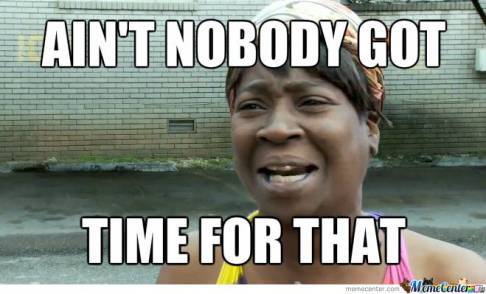
Writer SEO - Sweet Brown saying, ain't nobody got time for that, illustrating the concept of writer SEO
Preach, Sweet Brown.

We live in a hurry-up, impatient, “ain’t nobody got time for that” world. And a good 90% or more of us never bother with the second page of search results!

So, while positive changes in position are nothing to sneeze at, they do not truly matter unless you’re on page 1 of results.

If that seems unfair, odd, and maybe even a reason why the human race is doomed, well, I’m with ya on that.

Yet our preferences do not matter.

Ads Are Outta Control!

But… there’s one problem with writer SEO or really any kind of SEO. We’re all gunning for page 1. And that means that the competition is fierce.

There’s you, me, and large corporations with insanely big budgets. There are people who’ve been doing SEO since before it had a name (or at least it feels that way).  So, how do you compete?

I Got an Itch for a Niche

Exxon is enormous! Their annual ad budget may very well be more than everything I have ever made in my life. And probably ever will.

But they’re not competing in the writing space. Even if their CEO decided to write a book, they would not be my competition. And they might not even really be my competition if their CEO decides to try their hand at writing something in the exact same genre as me.

Is James Patterson my competition? Well, not exactly. Yes, we are both writers. But that’s where the comparison stops. Now, Patterson does write science fiction. But are we really in direct competition? For one thing, a lot of his sci fi stuff is aimed at teens. Mine … is not.

So, maybe I don’t have to worry about him, or at least not too much. Same with JK Rowling and Stephen King, particularly as they don’t really write in my genre.

I’ve Got a Niche to Scratch

Amazon is great about having separate categories which match a ton of niches. Consider horror. Even if vampires, werewolves, wendigos, mummies, and serial killers were all in the same novel or film, so what? They all still have their own sub-niches (if you will) within horror.

Science fiction has a number of well-known niches:

• Space opera – this is like Star Trek. My novel The Enigman Cave fits this niche, as it’s also following people on a spaceship.
† Dystopian – this is like Ready Player One. My novels Mettle and Untrustworthy both fit this niche, even though they’re set in different places.

• Science fiction noir – this is like Blade Runner or I, Robot, where cops and science fiction mix. My Obolonk and Time Addicts trilogies both fit. This is not a large genre and Amazon does not have it as a filter. But the good news is that there might not be a lot of competition…
† Time travel – this is like the old TV show, The Time Tunnel. Time Addicts fits this niche.
• Historical science fiction – now, this one’s tricky.

Issues with Historical Science Fiction

Science fiction isn’t normally set too far in the past. Even Stranger Things just goes back to the 1980s.

Without getting into Steampunk, one of the only examples I can think of are the films Time After Time (where HG Wells himself has to chase Jack the Ripper in the modern era) and Somewhere in Time (1970s playwright Richard Collier goes to the turn of the 20th century via hypnosis and falls in love with actress Elise McKenna).

In both stories, someone in the present is writing about the past. It makes sense that it would be a vehicle for a time travel story.

My Real Hub of the Universe trilogy fits this niche of a niche, which is so small that Amazon doesn’t list it as a genre (although at least GoodReads does!). And looking it up often means you find science fiction books written earlier in history, such as The Island of Dr. Moreau.

As a result, when you put that kind of work onto Amazon or the like, your tags and keywords had better be pitch-perfect and utterly on point.

Your Writer Website and Your Niche(s)

I’m not the only author who writes in more than one niche. In fact, many authors who do so will use a pen name or even several pen names.

So, for someone like me, writer SEO means looking at competition in all of these niches. And it means looking at the keywords which the more successful posts (the ones at the top of search, which don’t necessarily belong to bestselling authors) are using.

Keyword Research for Writer SEO

People who do SEO for a living are researching keywords pretty much all the time. It’s a fancy way of trying to determine what people are looking for. If you can give it to them, then you want them to be able to find you.

The closer what’s on your website matches their search, the higher up (usually) your content will be in search engine results.

Google’s mission is to match seeker and website owner as closely as possible. Because if a person has a good experience with Google, they’re more likely to use Google than, say, Bing.

As a result, Google can charge more for its advertising (and yes, unfortunately, paid ads are dominating the first page of search results. So page 2 can get some love after all—but never settle for anything lower).

Synonyms and Intent

To use an example a different form of art, consider film. Or cinema. AKA movies. Or pictures. AKA Hollywood or Bollywood or the Oscars or BAFTA awards, etc.

What is the difference in intent between these two searches:

† movie for kids not Disney
• classic cinema for children

Now, they both pull up lists of movies for the younger set. But the first is more likely to pull up articles about The Land Before Time, whereas the latter might pull up blog posts about The Red Balloon. Between the two searches, the first is more likely to pull up animation, too.

Now consider your books. I’ll use the Time Addicts trilogy as an example.

† time travel with robots
• science fiction noir in the far future

Both searches would fit this trilogy. The first gets a lot more hits. But the latter pulls up much more closely-related stuff. And if I change the first one to time travel with aliens (which would also fit Time Addicts), it gets me TV programs about ancient aliens.

What’s a better set of keyword phrases (kwps) to target? Probably some mix of these:

† science fiction noir
• sci fi noir
† science fiction set in the far future
• time travel noir (although currently there are two kinds of returns on this search which are coming up a lot)

Writer SEO, Searches, and Your Buyer Persona

Who’s your ideal reader? Your ideal customer? You have got to market directly to them. And you will need to write your blog and pages, etc. with that person in mind.

If your ideal reader didn’t finish high school, then a term like movies is more likely to work than cinema. And if your ideal reader is female, you may want to toss in terms like feminism or strong female character.

If your ideal reader is a member of the LGBTQ+ community, then you will need to use terms which will apply—but I would caution you to be careful here. Terms evolve quickly.

What was acceptable in 1999 is not necessarily going to fly in 2023. And for God’s sake, don’t try to reclaim a slur unless you would be a subject of said slur. And even then?

Just, don’t.

Writer SEO: Takeaways

Like I said above, this barely scratches the surface. Try tools like Keywordtool.io, answerthepublic.com, and MarketMuse (or Surfer SEO, Ubersuggest, or AhRefs) for more advanced ways to better target your ideal reader.Click to buy Untrustworthy on Amazon


Want More of Writer Website Development?

If my post on website SEO and speed resonates with you, then be sure to check out my other articles about how to create a writer website.

Writer Website Development

How to Create a Writer Website: Start a Writer Website
How to Create a Writer Website: What to Write About
Writer SEO
How to Create a Writer Website: Writer Website Copyright
How to Create a Writer Website: Writer Website Design
Mobile Design
How to Create a Writer Website: Writer Website User Experience Design
How to Create a Writer Website: Writer Website Speed and More UX Design
Next article

Get your author website going the smart way and use SEO! #amwriting

Leave a Comment

How to Create a Writer Website: What to Write About

It’s the first question pretty much any writer would normally ask anyway, and it concerns what to write about.

Do You Know What to Write About?

Let us start with one thing, and make it perfectly clear. Your writer website is (spoiler alert!) not your personal blog. Rather, it is a marketing tool.

Oh, and by the way, your Twitter stream (er, X stream), your author Facebook page and/or group, and BookTok? Guess what? They’re marketing tools as well!

This is not to say that you can never, ever be sociable. Actually, you should.

But there’s a line between sociable and confessional. For the most part (albeit not necessarily always), you do not want to cross it.

Consider What to Write About as You Consider Where that Writing is Actually Going

Wait, what?

What happens to your blog once you publish it? Well, you probably share it on social media. At least, if you want it to go to anyone, you sure as hell do.

In fact, Jetpack has a setting to get your writing out to social media. It’s pretty easy to set up and then it’s done.

This is not everything you should be tweeting, etc. You should be doing more than the barest of bare minima. But at least your stellar prose is going somewhere.

A Writer Newsletter — the World’s Greatest Landing Strip

Keep in mind, as I write this, I do not even have a writer newsletter yet! But I follow the newsletter my employer puts out. And I also follow the newsletters of some other writers, like Trinity Blacio. I look at what they say, and what they do not say. And, I check out how often they put out their newsletters.

And here’s what I have learned.

1. Newsletters that come out irregularly are probably not going to get you new readers. But they may appeal to your current fans. Still, you want to expand your base. Being consistent with your release schedule helps!

2. No one seems to know what to put in a writer newsletter, beyond a link to a free download and/or future appearance info. Why not reprint a part of some blog posts? And then link to the remainder!

3. Confessional newsletters should be few and far between. So, an irregularly published one might be able to get away with this. But if it’s a constant? Nope. A weekly newsletter, and maybe even a monthly one will get tiring very quickly if it’s only about how you’ve got writer’s block.

So, consider some of your landing strips when you write.

What do Your Readers Want to Read?

Beyond your fiction (or nonfiction), what do they want to know? Do they want to see anything about your process? Maybe they want to understand your characters better. Or maybe they want to get an idea of what’s coming out next.

But when considering what to write about, you also want to get inside the heads of this next group of folks.

What do Your Prospective Readers Want to Read?

Love it or hate it, if you’re an indie writer and you don’t just want to leave your writing in a drawer or on a hard drive somewhere, guess what? Congratulations, you are now a small business person.

What does that mean? It means that you should be trying to convert prospects.

I am not talking about clickbait here (although a little copywriting is probably fine if it’s not too aggressive). It is, rather, about trying to add some readers.

Here’s a Fer-Instance

Any number of die-hard Trekkies were appalled and clutched their pearls when a new timeline and new actors were introduced in the 2009 film. However, that film did something amazing. It attracted and hooked a new generation of viewers.

And when Paramount+ (it was CBS All Access at the time) added new series which were different from TOS, what happened? Oh, those same fanboys and fangirls clutched their pearls and sighed and screamed it wasn’t “real” Star Trek.

Yet Discovery and the other new series have also reeled in a new generation.

Resting on your laurels is comfortable and nice. But it also makes you irrelevant very, very quickly.

Back to You for What to Write About

I know how hard it is for so many indie writers to market. Believe me, I know! Why the heck do you think I got a Masters in Communication to begin with? It was, in part, because I wanted to learn how to market my own creations.

Still, consider it this way.

You’re a writer. Setting words to paper or pixels is in your DNA.

And you should also be an inventor and an experimenter.

So, throw some of that writing jello against the wall. Document it and measure it.

Who knows? Maybe some of it’ll even stick.

Happy writing!Click to buy Untrustworthy on Amazon


Want More of Writer Website Development?

If my post on website speed resonates with you, then be sure to check out my other articles about how to create a writer website.

Writer Website Development

How to Create a Writer Website: Start a Writer Website
How to Create a Writer Website: What to Write About
Writer SEO
How to Create a Writer Website: Writer Website Copyright
How to Create a Writer Website: Writer Website Design
Mobile Design
How to Create a Writer Website: Writer Website User Experience Design
† How to Create a Writer Website: Writer Website Speed and More UX Design
Next article

Get going the smart way with what to write about. #amwriting

Leave a Comment

How to Create a Writer Website: Start a Writer Website

Do you want to start a writer website? Or have you heard that maybe you should? Then check out this post on getting going.

How Did I Start a Writer Website?

Me, personally? This blog and this site will not look or behave as perfectly as I think a writing website actually should. But that’s okay, because my site has had other purposes.

It’s been about social media, my Master’s degree, and even various job searches. So, there is older stuff in here. And there is nothing wrong with that.

Plus, I hope you’ll realize this means you can convert an older blog/website into one for writing. You do not have to throw out your older posts and the like. However, if they are too far off-topic, you may want to consider a new domain, or shunting your older blog to one. Or maybe just pulling your older posts and creating redirects for them.

A blog on handcrafting most likely won’t lend itself to such a conversion. But a site or blog on SEO, social media, or education is probably fine. You make the call, sports fans.

What’s Missing?

Oh, and make no mistake about it. I will be writing about things I have not done yet! For the most part, that has been due to budget—either of my money or time or both (and mental bandwidth!). This is the reality of being an independent writer. When you get it in your head to start a writer website, you may find your reach exceeds your grasp.

But you can (and should!) start a writer website anyway. Why? Because guess where you’re going to build your brand? It’s right here, folks.

Start a Writer Website by Actually Starting a Website

God lord, what the heck does that mean?

It means that just having a Facebook page or group is not going to cut it. BookTok is lovely, but it is not enough. Neither is a Twitter stream. Er, X stream, I suppose. Those things are absolutely helpful and they may even be vital.

But they are not an actual website.

Plus, not for nothing, but you should own your spot. Why? Because we used to think MySpace would last forever.

Own your stuff. And own your space. At the absolute minimum, keep copies of everything. Behave as if you could lose it all tomorrow. Because you just might.

Owning Your Space

This inevitably means hosting. You can buy hosting from providers like GoDaddy or HostGator, etc. Shop around and ask friends if you don’t have a provider for some other site. If you’re an utter novice, then ask around at work.

What if you are on an absolute budget of, like, $0? That makes this harder but not impossible. Because you can try a few things.

Medium

Medium is popular, and that can make it hard to break through the noise. But some people do. Since you wouldn’t own the space, keep copies of everything. And, keep in mind, you will likely lose all comments if you transfer your work elsewhere.

If you do not break into Medium and do at all well, then you may or may not be able to improve the findability of your page. You are also beholden to their rules. Writers of erotica will probably find it too constricting.

Wix or Weebly

Don’t get me started.

Both offer freebie hosting and ways to start a writer website (or any other type of site, for that matter) easily.

However, your URL (for their free hosting) will be something like yoursite.weebly.com (which is long for business cards and bookmarks). Search might not be the greatest.

Plus, you are beholden, at least in part, to their designs and templates. If those are good enough for you, then have at it. And keep in mind, anything that’s really pretty or functional might not be free.

You can, eventually, have Weebly or Wix host your domain and you would pay for that. And then others would probably never have to know.

But for serious flexibility, these are probably not going to be it.

Github

If you don’t need a lot of instruction, this could work in a pinch. But it’s really just going to allow for hosting a static page. A blog, for example, will change too much.

Wattpad

A decent place for hosting writing you aren’t planning on publishing for money, Wattpad is not a place for blogging. Also, anything too commercial will be pulled by the moderating staff. So much for selling stuff.

Want to Start a Writer Website? WordPress to the Rescue!

What is it, 48% of all websites are on WordPress? Their functionality is hard to beat. They have an enormous number of plugins and apps, both free and paid for.

Support varies and is mainly tied to app and plugin developers. If a developer provides good support, then awesome! But if not, then either get a different plugin or head to YouTube and pray for good tutorials.

If your budget is truly $0, you can even put a blog (and probably just a blog) onto their freebie pages. But those are numerous and with less support and functionality. But they will help you to get used to using the platform.

Still, eventually, you’re going to have to cash in your empties and spend something or other.

The Planning You’ll Need to Start a Writer Website

Welp, I originally just threw this one together.

And then I realized I wanted it to not look terrible. This was even before I was using it to tout writing, or even social media.

Really, really far back (as in over 20 years ago), I really just wanted a place to plonk some photos. Geocities was it.

As a result, this website and its accompanying blog have grown organically and not always intelligently.

Head some of my mistakes off at the pass and do some preplanning. To wit.

Decide on a Basic Design Sensibility

You don’t need to be a designer (God knows I’m not!) but you do want something that looks attractive and, at the same time, feels put together.

If, like me, your design sensibilities resemble those a semi-sapient sponge, then I suggest talking to someone you know who does have design chops. They don’t have to be a professional.

This person could have maybe taken it in school. Or their living space always looks ‘just so’, or their look in clothing is always well-put together. At the barest minimum, it should be someone you know who does art of some sort, even for fun.

And if you really and truly know no one like this, then you’ve probably got a high school near you, yes? Talk to the art teachers there.

Here’s what you want to know.

Ask Your Designer Friend the Following

A designer friend makes them sound like they come with a logo, but I digress.

I Love These Colors. Do They Go Together Well?

You can also check out any color wheel online, but if your monitor skews toward green (for example), you won’t get a true result.

If You Were Working With These Colors, Which Would You Use as Primary? Which Would be the Accents?

You may love neon pink, but it’s probably a bit much for a main color for a website.

I Normally Write in the ___ Genre. Which Colors Speak to You When You Think of That Genre? They Don’t Have to be Any of the Colors I’ve Chosen

Now, you should also look at covers (seriously). But what I am getting at here is what’s called Color Theory.

For example, what does yellow make you think of? Pretty standard responses will probably include the sun, sunflowers, butter, egg yolks, Post-it notes, bananas, and canaries.

Does it remind you or your designer pal of any genre, though?

It’s okay if it’s not an oh my God perfect match. But there is a reason why a horror writer might have a website with darker colors and a Halloween feel to it regardless of the time of year.

And there’s a reason a romance writer might start a writer website with pastels and mainly use a scroll-like font.

Given My Main Genre, What Would You Suggest as Ideas for a Logo or Other Predominant Image?

I really, really hope you won’t use a stick of butter for your logo, even if you write cookbooks. But if you love yellow, and your genre is dystopian science fiction, you might consider an image of something burning.

My Own Design (Er, Maybe)

I made this logo (and a couple of others, which I’ll show in other posts) and I own the image!!

And that is important all by itself.

Do I love this logo? It’s … okay.

The idea of books with different colors appeals to me because what I write is kind of eclectic. But the books are all monochrome, almost looking like photo albums or research texts.

I don’t like that the font ended up washed out. But I do like a font like this. It dovetails well with what I generally write, which is science fiction.

I know I can do better, and will probably play around with this some more another day. Again, mental bandwidth!

To Start a Writer Website — We’ve Barely Scratched the Surface, Folks!

Yes, I will write more about this topic. But the main takeaways I am giving you today are:

1. Own your space if you can afford it.
2. Use WordPress! You won’t regret it, I swear.
3. Get an idea of visual design before you get started, to keep a unified look.

See you ’round.Click to buy Untrustworthy on Amazon


Want More of Writer Website Development?

If my post on website speed resonates with you, then please be sure to check out my other articles about how to create a writer website.

Writer Website Development

How to Create a Writer Website: Start a Writer Website
How to Create a Writer Website: What to Write About
Writer SEO
How to Create a Writer Website: Writer Website Copyright
How to Create a Writer Website: Writer Website Design
Mobile Design
How to Create a Writer Website: Writer Website User Experience Design
† How to Create a Writer Website: Writer Website Speed and More UX Design
Next article

Start a writer website and get going the smart way! #amwriting

Leave a Comment

Self-Review – Time Addicts: Everything is Up For Grabs

And Finally, it’s Time to Review Time Addicts: Everything is Up For Grabs

So what, exactly, do I mean by ‘everything is up for grabs’? Because as the timelines get ever more confusing, what isn’t on the table?

So, this trilogy of terms came to me after I had been writing the first book for a few weeks. But it snapped it all into sharp focus with these terms. With this, the final book in the trilogy, it seems as if everything is unraveling for Josie and co.

But in a society where you can change time on a whim, how could anything ever be permanent? Also, just as importantly, are there any anchors in life? Or are we all simply destined to be buffeted around by time forever?

With this, the final book in the sub-trilogy, the anchors feel as loose and ephemeral as a sack of feathers. But the bad guys, of course, offer a way to again achieve stability and equilibrium.

If she wants to go that route.

Background

Josie thinks she has seen the most drastic of the timeline changes already. But now they are getting focused, and the bad guys, calling themselves the Yester Gang, are tired of playing around.

Now, their focus is no longer split and they are going after nothing short of all-out genocide of the Obolonk race.

Plot

As the Yester Gang focuses more, Josie receives more mysterious messages which seem to be telling her that she has to act—but how?

The support beams in her life are being kicked out from under her, and Josie has no idea who she can trust. Maybe the best answer is, no one.

Characters

For this piece, the characters are Josie James, Dalton Farouk, Keisha Darnell, Bobby Brodie, Tad Lewis, Cyndi Mendez, Dr. Carmen D’Angelo, and Tommy 2000. Plus there’s also Josie’s enormous family, who flit in and out of the storyline.

Bad guy characters include Marty Quinlan and also his two nonbinary employees/lovers – Velvet Monroe and Daisy Dukes. There’s also Elston Young and Corwin Zachary.

Memorable Quotes from Time Addicts: Everything is Up For Grabs {Josie is talking to her Wingbot. The time change? All the time zones have been changed}

She waved her left hand over her right wrist and a display came up, also in midair. Into it, she said, “Time. Date. Temperature.”

Downstairs, with background noise of gentle wingbeats, came the answer from her Wingbot, 42753, “December the fourth, twenty-five twenty-seven. The time is six AM Eastern-Atlantic time. The temperature is one point sixty-six seven degrees Celsius.”

“Wait, what?”

“It is December the fourth…”

Josie scrunched up her face. Something felt off. “No, not that, Wing. The other part.”

“The temperature?” asked the Wingbot. There was a slight sound of small mechanical feet landing on the kitchen counter.

“No, wait a second.” She rubbed her forehead. Regular early morning nausea—for more than a decade of her life—made morning coffee a nice idea in theory but a terrible one in practice. Fully waking up would have to wait until she got to work, which was on another continent. “The time, Wing.”

“Six oh three.”

“You didn’t say that before.” Absently, she pulled a blue towel from the rack and started to dry her auburn hair.

“Well, the time has changed.”

Josie fought to not become angry with the small, semi-sapient robot, that was only doing its job. “I get that part. You mentioned the time zone?”

“Oh, do you like that? I recently received new instructions from Central Programming, to include a time zone whenever time is requested. If it is bothersome, I can remove it from that subroutine.”

“No, that’s fine.” Albeit weird.

Rating for Everything is Up For Grabs

The story has a K+ rating.

Upshot

I think I ended this middle trilogy well. But I know that the third book didn’t really get cooking until maybe Chapter 21 or so. Also, it’s over 167,000 words long! But at the time of writing this blog post, I had not yet started to edit it.

The second book is short and the first is kind of in the middle. I would rather not append the first 20 or so chapters to the end of the second book and call it a day.

Rather, I need to edit this beast with a chainsaw.

Wish me luck.

When everything is up for grabs, do timelines have any meaning at all? #amwriting


Want More About The Time Addicts Trilogy?

If this article resonates with you, then check out my other articles about this sub-trilogy that’s all about time travel and how it can go more than a little bit, shall we say, ca ca.

Time Addicts Characters:

Josie James
Dalton Farouk
Dr. Carmen D’Angelo
Tommy 2000

Time Addicts Books:

No One is Safe.
Nothing is Permanent
Everything is Up for Grabs

The Obolonk Universe
Next article


Leave a Comment

Self-Review – Time Addicts: Nothing is Permanent

It’s Time to Review Time Addicts: Nothing is Permanent

So, what, exactly, do I mean by ‘nothing is permanent’?

A certain trilogy of terms came to me after I had been writing the first book for a few weeks. But it snapped it all into sharp focus with these terms. I loved the terms so much that they are the subtitles of each of these three books.

So, in a society where you can change time on a whim, how could anything ever be permanent? And, just as importantly, are there any anchors in life?

As the timelines start to really melt and change, Josie’s life turns upside-down.

Background

After receiving the aforesaid message, Josie realizes she’s feeling physically worse and, at the same time, getting more confused about the shifting timelines. They are still relatively coherent. At least, for a while.

Plot

As the timelines continue to shift, Josie witnesses odder and odder changes. Many of them seem to be almost pleasant. Could the other side be, perhaps, trying to change time in order to please her?

The idea is intriguing. Because, could it be that she’s somehow, and in some way, being recruited?

Nothing is Permanent But the Characters

The characters are Josie James, Dalton Farouk, Keisha Darnell, Jerry Brodie, Tad Lewis, Cyndi Mendez, Dr. Carmen D’Angelo, and Tommy 2000.

Plus there’s also Josie’s family, who flit in and out of the storyline. And, there are the bad guys, namely Marty Quinlan and his two nonbinary employees, who go by the names Velvet Monroe and Daisy Dukes.

Memorable Quotes from Time Addicts: Nothing is Permanent {Josie and Bobby are entering the office at the New Howard Theater, where there are puzzles and barriers to entry to OIA HQ}

But it turned out that she didn’t need the umbrella, as she did not arrive alone. “Hi, Bob.”

“Heyas.” He was carrying a fairly large bakery box from Ashmont Annie’s.

“You’re here early,” she said, as she started the process of getting through the first barrier to entry.

“What are you talking about, Josie? I’m always bright and early.”

“No, you aren’t.”

“Yes, I am.”

“No, really, I have never, ever seen you early. Your habit is not to be early.”

“I am always bright and early. C’mon,” he said, voice taking on an edge of frustration.

“I, no, I don’t think so. I don’t think anyone in the Department of Temporal Narcotics has ever seen you come in early. You just aren’t an early kind of a guy.”

“For fuck’s sake, Josie, I am.”

She backed off.

No, you aren’t. You have never, ever been early in all the time I’ve known you, Bobby Brodie.

“Sorry.”

“No problem; we’ll all under stress. Can you hold these so I can get the wheel on the ceiling?”

“Sure thing.” She peeked inside the box. It was a dozen assorted doughnuts, including her absolute favorite, Boston Cream.

“Who’re all these doughnuts for?” she asked as he turned the wheel and a door slid open to yet another antechamber.

“The team, silly.”

“Really? Since when do you bring in doughnuts for everybody?”

“Since when do I not?”

“Since ever.”

“Wrong again, Josie. Y’know, if you piss me off enough, I will stop bringing in Boston Creams for you.”

“You buy those just for me?”

“Yeah. And I get blueberry for Tad, sour cream – I have no idea why she likes it – for Carmen, you know.”

No, I don’t know.

Rating

The story has a K+ rating.

Upshot

So, one thing about middle books, for me, is they tend to be more romance-centric. Also, they tend to be the shortest books. And while I do not amp up the romance, it is still the shortest of the three books, clocking in at under 70,000 words before editing.

I don’t feel the need to increase this one. Rather, I still want to cut it and the first and the first 40% of the third book. So, while I won’t go until 50,000 words, I will still, I hope, get this one to under 60,000.

When nothing is permanent, where are your temporal anchors? #amwriting


Want More About The Time Addicts Trilogy?

If this article resonates with you, then check out my other articles about this sub-trilogy that’s all about time travel and how it can go more than a little bit, shall we say, ca ca.

Time Addicts Characters:

Josie James
Dr. Carmen D’Angelo
Dalton Farouk
Tad Lewis
• Cyndi Mendez
† Bobby Brodie
• Keisha Darnell
† Vera Travers

Time Addicts Books:

No One is Safe
Nothing is Permanent
Everything is Up for Grabs

The Obolonk Universe

Next article

Leave a Comment